






Vivo Warranty Check – Step by Step Process for Pakistani Users
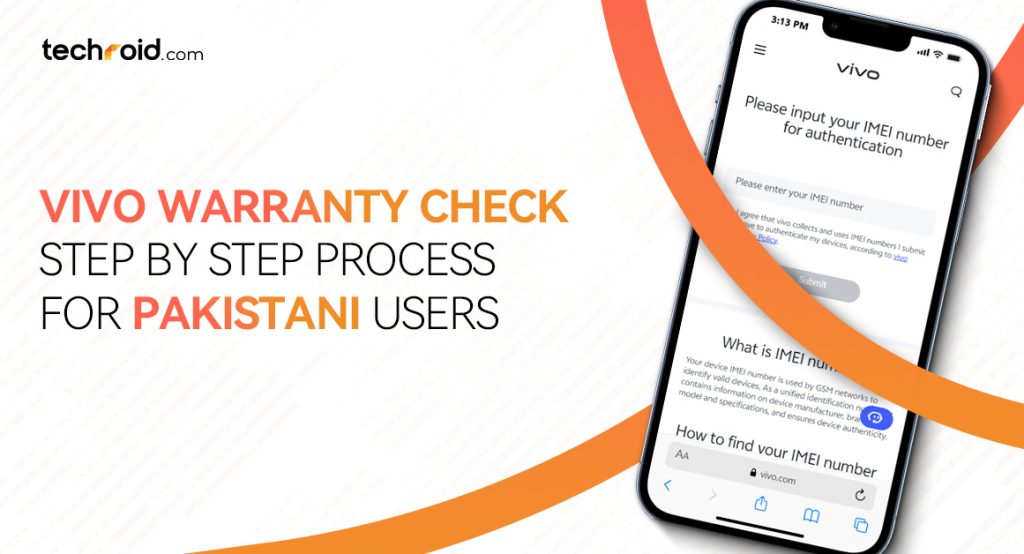
Checking your vivo phone warranty is extremely important, it not only tells you that your device is valid for free repairs related to manufacturing faults or software issues but it also helps you authenticate your device and saves you from paying extra for unofficial repairs. Vivo warranty check status also helps you stay aware of exactly how much warranty coverage your device has left. Vivo usually offer 12 months (1-year) long warranty with their smartphones in Pakistan and this duration is often 6 months for their Chargers, USB Cables and Earphones.
If you have also bought a Vivo smartphone in Pakistan recently or are planning to buy one then this warranty check process is really important for you. Even though you are buying from a trusted or official seller this warranty check method might come in handy later. Today we’ll tell you how Pakistani users can easily and correctly check their vivo device’s warranty status online and how to check if their smartphone is authentic or not. If you are looking for 100% original and best vivo smartphone prices in Pakistan then Techroid.com is your ideal platform.
Vivo Warranty Check – How to Do it Properly?
There is more than one way to get your vivo mobile warranty and almost all of them require your phone’s 15-digit IMEI number. Before moving towards how to check the warranty process let’s talk about the IMEI number. Your Vivo IMEI number serves a role of separate identity of your device and it is different for all the smartphones a company or brand manufactures. There is total 4 way through which you can easily check your Vivo warranty and we are going to talk about all of them one by one:
- Online through Vivo warranty portal
- Through Phones setting (Vivo E-warranty card)
- Official Vivo customer support
- Vivo service center
Check Vivo Warranty Online
This the fastest and the best way to check your Vivo warranty status online. It doesn’t matter if you are a tech savvy person or not, this process is so simple that you can do it from the comfort of your home. First of all, you need your phone’s IMEI number which you can easily find by dialing a vivo IMEI code:
- Open your device’s phone app or dialer and enter the code *#06#
- The moment you dial the last digit, a new screen or a popup will appear on your phone with 15-digit IMEI number note that or take a screenshot
- Then go to our warranty checker page. On that page search for the Vivo logo and press the ‘Check Warranty’ button.
- This will take you to the official Vivo warranty checking portal.
- On that page enter that 15-digit IMEI number you noted, tick mark the ‘I Agree’ box and press the ‘Submit’ button.
- Within a few seconds you’ll get to know what’s your phone’s warranty status and is it valid for free repair or not.
Vivo E-Warranty Card
The Vivo E-Warranty Card is a digital version of your smartphone’s physical warranty card or phone’s receipt. With this you don’t have to carry a physical proof of mobile purchase or warranty starting date. Here how you can access it and check your phone’s warranty coverage:
- Open your phone’s setting and scroll down to tap on the about phone option
- Then open the customer service option and press on the “E-Warranty card”.
- From there you can easily see what’s the starting and ending date of your device’s warranty.
- If it is not activated you can activate this E-card directly from here.
- You might need to sign in with your vivo account to activate this digital warranty card option.
Official Vivo Support
You can directly ask the official vivo customer support to check your certain vivo device’s warranty status for you. You still need your phone’s IMEI number to do that seamlessly. There are several ways you can contact vivo customer support in Pakistan to add a query about your phone’s warranty status or authentication. Here’s how you can do it the easy way:
- First of all, visit the vivo customer support Pakistan page.
- Then scroll down and look for the ‘Contact Us’ section.
- In that section you’ll find various ways to get in touch with the vivo support team.
- Press on the option that suits you best. You can email them, chat with them on WhatsApp or Messenger, directly chat with chat bot or call them on their toll-free number 0800-00111.
- For each option you might have to provide them all the information they ask for example your phone’s model, IMEI number or maybe serial number too.
- After providing all the information, you’ll get a reply with the exact date of your warranty activation and ending date.
Vivo Service Center in Pakistan
Another way to check your vivo warranty is to physically visit your nearest Vivo service center in Pakistan. There are several vivo service centers in each city and you can visit them easily from 10:00 AM to 8:00 PM on weekdays. You can find the nearest one from their official vivo service center finder page by selecting your province and then city. After finding the service center you have to follow these instructions:
- Visit the service center with your phone and the proof of purchase such as receipt or invoice as per according to Vivo warranty terms.
- Tell them that you are here to get your device’s warranty status checked.
- Provide them with all the information they ask for.
- They’ll check your phone’s IMEI number from their system.
- And within a few minutes you’ll get to know how much time is left for your warranty to expire.
- You can also ask them all the warranty claim related questions on the spot which is another benefit of visiting the service center physically.
How to Authenticate Your Vivo Mobile?
To check if your Vivo smartphone is authentic, original and legal then it is very important to confirm for your own safety against legal actions and penalties. No matter if you have purchased a new vivo smartphone or a secondhand device, authentication can save you from a lot of hassle and might also tell you whether you should buy a used one or not. Here’s how you can perform Vivo mobile authentication online:
- First of all, dial *#06# to copy your phone’s IMEI number.
- After getting the IMEI number visit the official Vivo authentication page.
- Enter your phone’s IMEI number in the given empty field and press the ‘Submit’ button.
- You’ll instantly get to know if your phone is original or not.
- If you get the warranty status and the name of your model on the screen then your device is completely authentic.
- But if you get an error or message that says ‘not registered’ or ‘no record found’ then there is a high chance your phone is not purchased from official sources and is illegal.
Buy Vivo Smartphones Online in Pakistan
Your phone’s warranty is very important no matter which brand’s phone you are using or planning to buy. It saves you from a lot of trouble and can even save you a lot of money from unofficial repairs. Vivo smartphones are getting more and more famous in Pakistan and that’s exactly why we think people need to know more about the Vivo warranty check process, how they can do it and how it helps them. If you are planning to buy a new Vivo smartphone and looking for the best prices for them in Pakistan then Techroid.com.
Check our latest Vivo mobile collection and compare how our prices are lower than all other online sellers in Pakistan. Also, we do not charge any delivery fee for delivering these smartphones safely right at your doorstep. Along with vivo mobile collection we also have latest PTA approved iphones, Redmi smartphones and various Xiaomi smart home products all available at the best prices in Pakistan. You can explore our wide accessories collection too to build your perfect tech setup. If you want to check your favorite products before even paying for them then come to our physical stores in Lahore at Dolmen Mall and Goldcrest Mall.
FAQs:
Q: How to check Vivo mobile warranty online?
A: You just need your phone’s IMEI number and paste it to the official Vivo warranty checking portal to instantly check the warranty status online.
Q: What is included in the Vivo mobile warranty?
A: Vivo allows you to claim warranty for free repairs for manufacturing faults and software issues. Damage caused by water ingress, fire, accidental fall or any natural disaster are not included.
Q: How to claim vivo mobile warranty?
A: You can visit your nearest vivo service center with your phone and receipt/invoice. If you warranty period is valid the service center staff will submit your phone and will tell you about the estimated time of free repair.