






What is a Smart TV Box
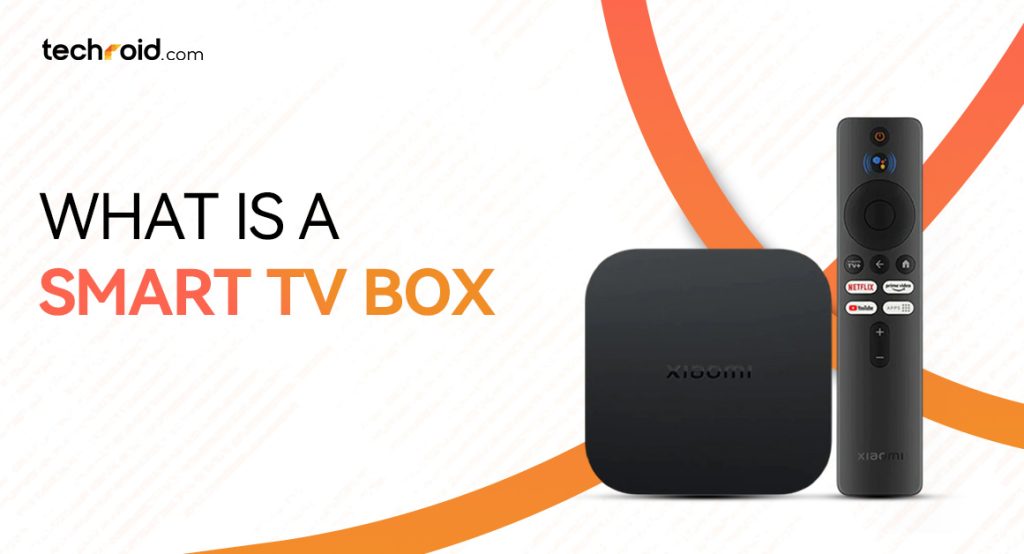
You might have heard about the smart tv boxes from someone if you live in Pakistan! You can find them in your local tech products shops and online but do you know what is a smart tv box? While most users in Pakistan are now buying smart TVs but still individuals who have LCD TVs rely on android TV boxes. If you have a spare monitor at home or have an LCD TV screen, you can convert them into smart home entertainment devices. Today we’ll tell you about these smart android boxes, what their benefits are and exactly how you can set them up with your old LCD screen.
And don’t worry we’ll also tell you which brand offers the best android tv box in Pakistan. At Techroid, we are trying to make premium smart home gadgets more accessible so the Pakistani users can elevate their lifestyle. With the right price and correct information for connecting the android box with your TV, we are a trusted partner for elevating your daily home entertainment.
What a Smart TV Box is?
A smart TV box, sometimes also called android tv box or streaming is a compact electronic accessory that connects to your old TV or a simple monitor through HDMI. It supports the Android operating system that allows you to elevate your daily home entertainment. They offer all the modern features that today’s Smart TVs have. They allow you to stream movies, use 1000+ apps, browse the internet and view movies and pictures on your USB or hard disks. In other words, you can say it’s a mini-computer that you can use by directly attaching it to your TV without spending the money equal to an expensive PC.
Mostly an android box comes with a power adapter, HDMI cable and a remote control. Which means this small setup can change how you and your family have been experiencing home entertainment. It saves you from crappy TV cable results that happen very often in Pakistan. You and your family can now enjoy HD movies, your vacation pictures and cricket matches on the big screen without spending too much.
What are the Types of Smart TV Boxes?
Smart TV boxes or simply an android box has evolved drastically since 2015 and 2016. Now they offer features beyond the simple media viewing. They are now more-inclusive and offer features driven by AI. They offer smart control over home entertainment, next-gen connectivity and easy streaming & internet browsing etc. Today there are two main types of android TV boxes that you can easily find in the Pakistani market:
- Smart TV Box/ Android Box
- Android TV Stick
Smart TV Box/ Android Box
Mostly android TV boxes come in compact square shapes with rounded edges. They offer various types of ports so you can connect it directly to your TV or monitor, attach USB and hard disks for media viewing and Ethernet (LAN) Jack for the internet. Some also come with an SD card slot, 3.5mm jack for AUX cables and USB Type-C port. Some of the best TV boxes in Pakistan are Mi TV Box S 3rd Gen and Mi TV Box S (2nd Gen).
Both are exceptional for converting your regular screen into a smart TV. With these devices connected to your TV, you can stream 4K movies online, watch YouTube, use several apps and access your local media files without any problem.
An Mi TV Box even allows you to quickly search for the content online just using your voice via its 360° Bluetooth remote. With built-in Chromecast you can wirelessly project the content of a smartphone to your TV screen, perfect for viewing family photos and videos in a gathering. After reading about all these features you might be thinking that the smart tv box price in Pakistan might be very high but that’s not true.
Especially if we are talking about a brand like Xiaomi which is always known for its affordable prices. You can get the best prices for these smart TV boxes from Techroid.com along with official warranty. Enhance the game of your TV lounge via these compact boxes.
Android TV Stick
An android TV stick is a much smaller and minimalistic gadget as compared to the TV box. It comes in the shape of an USB; the only difference is that it has an HDMI connector instead of USB-A. It’s much smaller in size that’s why it doesn’t offer additional ports like USB, micro-SD card or 3.5mm jack etc. There are various Mi TV sticks that can find in the market but the best ones are:
- Xiaomi TV Stick 4K (2nd Gen)
- Xiaomi TV Stick 4K
- Xiaomi TV Stick
All these TV sticks have plus points of their own. Xiaomi TV Stick 4K (2nd Gen) however is the most advanced one yet. You can use it just like a Xiaomi TV Box, by connecting it in the HDMI port and power it through the DC power plug. It won’t work if you just attach it to the TV, you have to keep the power plug constantly connected. This TV stick allows you to access thousands of streaming apps online so you can enjoy an experience just like a modern smart TV.
You can watch ultra-HD YouTube videos, use various apps for browsing and enjoy football matches with your friends. It’s a much more compact and easy solution instead of upgrading your TV especially when you don’t have the budget. Now you don’t have to constantly worry about the cable connection irregularities, you can just choose to go smarter.
How to Set Up a Smart TV Box?
No matter which brand’s android TV box you are using, setting it up and playing your favorite shows on your old LCD TV is very simple. You don’t have to be a tech savvy person or an expert to do that. Here are some simple instructions to connect an android tv box to your screen:
- Open up the box, make sure you have all the components there to connect the box to the TV.
- Unwrap the TV box from the plastic cover and connect the power adapter and HDMI cable to your TV box.
- Then find a flat surface to place the TV box so it can stay easily connected to the power plug and the TV.
- Take the other end of the HDMI cable and connect to the HDMI port of your TV or monitor screen.
- Power on the android box and your TV, go to the setting or press the source button from your TV remote and select the HDMI input.
- You’ll instantly get the interacting view of the TV box on your screen.
- Modern android TV boxes like Xiaomi TV box or Mi TV stick 4K, you have to connect the Bluetooth remote to the box first. To do that, press and hold the return and menu button together for a few seconds.
- Then you have to select the language and go through some simple box setup steps like signing in to your Google account and connecting your WiFi but you can skip them if you like.
- After that you’ll instantly get to the home screen of the TV box and from there you can select whether you want to stream movies, watch YouTube or access your local media files.
- It is recommended to sign in to your Google and complete the setup process so you get the most out of your smart android TV box.
Buy Mi TV Box Online in Pakistan
Now we hope you understand what a smart TV box is and how it makes your life much easier. Individuals in Pakistan who don’t want to change their perfectly working LCD TVs can choose this cheaper and reliable alternative to get access to all the smart features found in modern LED TVs. Android TV box price in Pakistan is the most compelling thing; you don’t have to spend more than a few thousands to upgrade your normal TV to a smart one.
People in Pakistan often get confused about which brand to choose for a reliable smart TV box, we have a suggestion try Xiaomi! The brand offers sturdy and sleek devices at highly affordable prices in Pakistan. They are reliable and built for longevity, you don’t have to buy a new one for years. For the best price and 100% genuine quality buy Mi TV Box from Techroid.com. We offer official warranty and free delivery with all our products no matter where you live in Pakistan.
Other than Xiaomi smart home products, you can also get your hands on latest smartphones like iPhone 17 Pro Max, Samsung S26 Ultra and Redmi Note 15 Pro etc. from our online store. If you like you can also visit our physical stores in Lahore at Dolmen Mall and Gold Crest Mall to check out your preferred products before even paying.
FAQs:
Q: Do you need WiFi for a smart TV box?
A: Yes, if you want to stream movies, browse the internet or use various other online apps, you have to connect the TV box with your WiFi. But it’s not necessary if you only want to access your media files.
Q: What can you watch on a Smart TV box?
A: You watch various TV channels online, stream movies, watch your favorite shows on YouTube, cricket and football matches and even cartoons for your kids.
Q: How can I download apps on my smart TV box?
A: You can easily download any kind of app on your smart TV box via Google Play store just like you smartphone. But you need to sign in first with your Google account.