






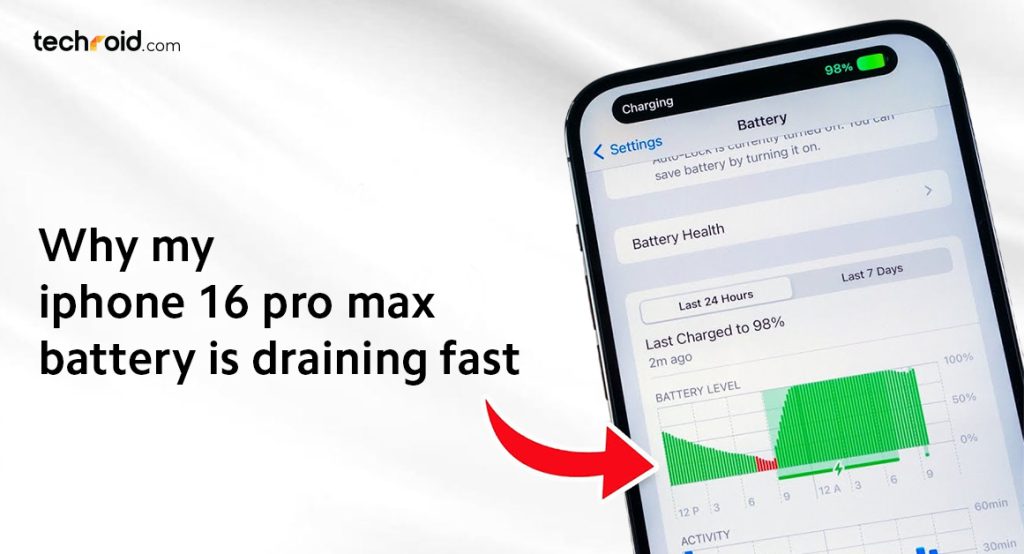
If you also have the same question, why your iPhone 16 pro max’s battery is draining faster after the iOS update then you are at the right place to find answers. It is normal to experience quick battery drainage after a software update but it is not the only thing that causes your phone to run out of battery fast. There are various other reasons that can make your battery drain fast, you can either see them as bad habits or carelessness. The iPhone 16 Pro Max is a flagship and most advanced iPhone yet that’s why the device is loaded with features and if you use various features at the same time, they can really drain the battery fast.
Here we’ll show you what things are causing your phone to run out of battery fast and some tips & tricks through which you can save your battery and maintain the overall battery health of the device. If you don’t already have one and want to buy iPhone 16 Pro Max then we are here to help you to get the lowest price for it.
Are there Battery Issues in iPhone 16 Series?
The battery drainage issues are not just limited to the pro max variant, users often also complain about other models of this iPhone lineup such as iPhone 16 pro, 16 plus, and even the iPhone 16 standard variant. Again, this can happen due to the software update Apple have released but there are further things that you can do to save your battery to drain fast.
Never Use Local Chargers
Let’s get on to the battery draining reasons, there are a lot behind the battery drainage of 16 pro max. Let us tell you about the first reason, make sure you are not using any third party or local charging adapter or cable. Just use any MFI certified adapter and original cable that comes with your phone. Another really important thing to do is not to overcharge your phone. Most people plug in their phones to charge overnight and remove their phone in the morning. It is completely wrong and it can become the major issue of phone overheating and quick battery drainage. It is also harmful for the overall battery health of the phone.
Display & Brightness Matters
Now let’s talk about display and brightness! Grab your phone and open up the settings, from there go to Display & Brightness. Then you’ll see the light and dark mode option in there, if not selected choose the dark mode option it will drain a lot less battery as compared to light mode. Then scroll down and select auto-lock and set the time for 30 seconds. It will save your battery by locking the screen when your phone is not in use for 30 seconds.
Now go back to settings and open the Accessibility, select display and text size, scroll down and turn on the auto brightness option. This will save your battery when you are indoors by adjusting the battery according to your environment. With this you won’t forget to lower the brightness after using the phone outdoors.
Limit Your Push Notifications
Now moving on to the next settings, we’ll talk about push notifications. Go to your settings > Notifications > and from there you can check out which apps are sending you push notifications, disable the notifications for all those apps which you do not use very often and only turn it on for important apps. Frequent push notifications can eat up a lot of battery and cause quick battery drainage.
Battery Consuming Apps
Another thing you can do to understand which app is consuming most of your battery. For this you have to go to settings and select the Battery, scroll down and press the show activity option. This will show you which app is responsible for consuming the most of your battery and you’ll also see for how much time this app was active.
If that battery consuming app is not of your use try to stop it or even delete it. From the same battery setting menu, you can also set the battery limit to a certain percentage and your phone will stop charging at that point. For this you have to select the charging option from the battery setting menu and from there you can set the battery limit to 80%, 85%, 90% and 95%. You can also select the 100% but make sure to turn on the optimized battery charging option just below the limit section.
Background App Refresh
Now we are going to check out the app refresh and background activity. For this again go to settings > General > Background App Refresh, from there you can turn off the auto refresh of background apps to save battery and you can also select which app you want to use and which ones not. Try to turn the background refresh option off for all the apps that your barley uses or just open once a week. And also remember to clear the background apps whenever they are not in use. No matter which model you have, this trick works on all models including the iPhone 16 Plus and pro variants.
Location Services Also Drain Battery
Location services can also cause your phone to run out of battery quickly and that’s why you have to make some changes by choosing which app can access your location and which one can’t. To do this you have to again open your settings > Privacy and Security > Location Services, from there you can tap on the apps which are using your location and deny the permission of using your location. You can also go to system services from the Location Services menu and select which built-in mobile services are accessing your location and disable the services which you do not need including iPhone analytics, compass calibration and device management.
Try to Use Updated Apps
And lastly, we are going to check that all apps are updated and optimized. You can check all your apps updates at the same time from your apps store. Open your apps store, tap on your profile, scroll down and check which apps need updates if there are multiple apps then you can just press the Update all button to install their latest versions. Using the latest versions of all social media, games and other apps may help your phone to save the battery. This useful tip is for all variants of the lineup including the standard version and the iPhone 16e.

|
Grab your iPhone 16 Pro Max today from Techroid.com with free delivery anywhere in Pakistan! Also explore other models of iPhone 16 series from our website. | Buy Now |
Final Verdict
So now you know why your iPhone’s battery is draining fast and how you can prevent it effectively. These tips will not only help for getting a better daily battery life but will also be helpful for maintaining overall battery health of your iPhone. Very soon iPhone 17 series is going to be announced and the iPhone 17 pro max battery is expected to provide you even batter battery life and power saving features. Now that you know how to save the battery for your iPhone, it’s time to tell you how you can get the lowest iPhone 16 Pro Max price in Pakistan.Techroid.com is here to provide you the best deals for all the latest iphones and other Apple products. We are providing PTA approved iphones and authentic apple products at the best price and we deliver free of cost all across the country. If you want to check your product before even buying, you can visit our physical store at Dolmen Mall Lahore. You’ll also find the latest Redmi note 14 series there along with a bunch of Xiaomi accessories and smart home products.