





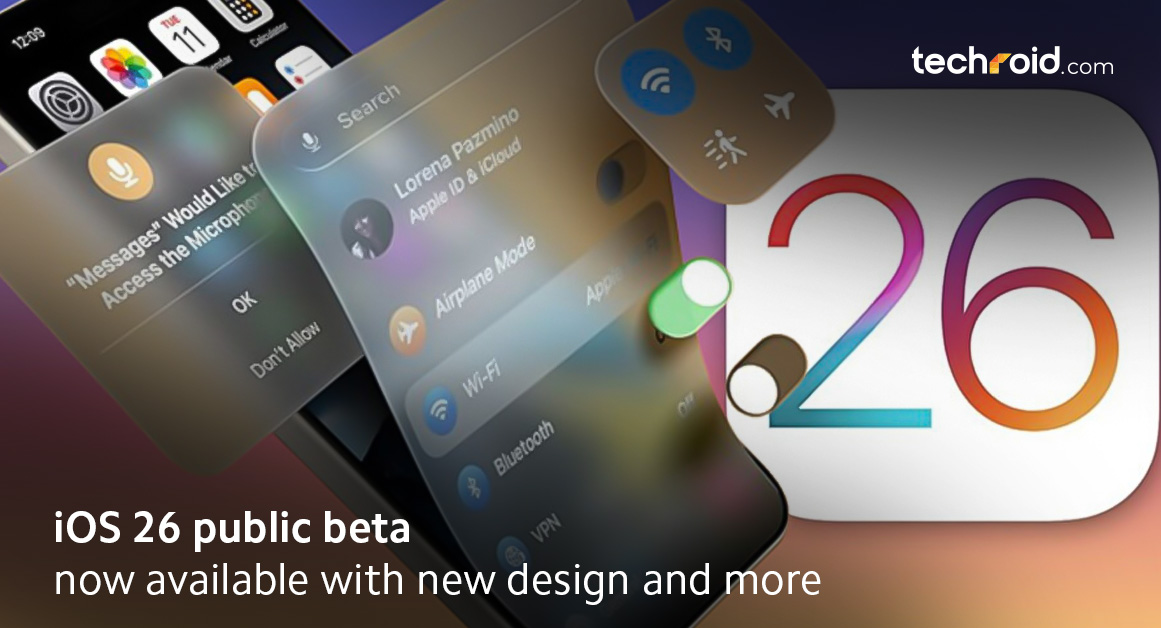
iOS 26 Public Beta Now Available with New Design and More
Haven’t tried the latest iOS for the iPhone yet? We are here to explain so you can understand the new features without being a tech-savvy person. The iOS 26 beta version is now available for the general public to try out. Apple has surprised everyone with their recently released iOS 26 public beta 1, iOS 26 beta 4 and beta 4 re-release along with iOS 18,6 RC. They have currently released only the beta version of it, but the complete update of iOS 26 is still expected to come out soon this year. Since Apple has released the new iOS 26 beta 4, there are a few additional features and designs to talk about.
No matter which iPhone and which iOS you have used in the past, this new and enhanced operating system from Apple will change the way you use your iPhone. You can get a sneak peek of the latest operating system by installing this beta version to your iPhone 16 Pro & iPhone 16 Pro Max, but it is also compatible with few of the previous iPhone models. Make sure you read the whole blog to get information regarding the latest updates in this iOS.
What’s New in iOS 26?
First of all, you should know that Apple has now decided to name their upcoming iOS after the year they are being released. Instead of naming the next one iOS 19, Apple decided to name it iOS 26 because most people will use it in 2026. With this beta version of iOS 26, you get the idea of what new features, design, theme, performance speed and innovation this iOS will bring.
With the new features, Apple is trying to make the usage experience smoother and making the iPhone more about the users. With more customization freedom included in the iOS system will offer users a better way to get most out of their iPhones. Here we’ll talk about all the improvements and features that are expected to come in the complete iOS 26 update or included in the iOS 26 public beta.
Liquid Glass Theme Update
First of all, the most prominent change you’ll notice by installing the beta version is the new glass theme for apps and menus. Apple is calling it the Liquid Glass! It gives a brand-new look to your apps, widgets, info messages and notification etc. by making their background transparent. It gives a more delightful and classy look to your iPhone interface.
You also get a shiny gleam at the borders of your apps which moves around accordingly as you tilt your phone. Besides this you also get transparent notification and messages on your lock screen too. You can make changes to this theme as you like from the settings to give your iPhone a personal touch.
Updated Age Ratings
In their iOS 26 public beta Apple has also disclosed that they have made changes to the App store age rating. They have added the updated age ratings for the apps and games so the users can make more granular choices while choosing an application to download. It is generally a careful step for the young users so they can be protected from the sensitive content, parents and guardians can set the age limit from the settings so the children would only be able to use the app and games according to their age. Apple has added 13+, 16+ and 18+ age ratings to the already existing 4+ and 9+ ratings.
Spatial Effect – More Than Just Wallpapers
Whenever we are setting up a new wallpaper for our phone, the main thing we focus on is how appealing it looks. Well with the new operating system you don’t have to worry about it because of the spatial effect it provides. This spatial effect gives your pictures a 3D wallpaper feels and it moves around when you tilt your phone. No matter if you have downloaded the wallpapers from the internet or using your camera clicked photo it works with all kinds of images.
We tried this feature and it works more prominently on the lock screen wallpapers as compared to the home screen. You might have also seen people worried about setting the clock so it doesn’t block the wallpaper, the new operating system can handle it for you. It automatically adjusts the clock to an empty space on your wallpaper so the image stays prominent without you losing the sense of time.
Swipe Through Camera Modes
In the beta update of this upcoming operating system, you get easy and smoother camera modes selection and as we told you earlier; transparent camera menu. Apple has moved the names of the camera modes a little lower and gives you an option to easily swipe left and right through them. Also, the animation of shifting from one mode to another is now even more polished. The camera menu is also transparent so you can easily choose your favorite settings without losing the view of what you are recording. The size of the on-screen flash icon is also reduced and moved towards the corner so it won’t take much space on your camera frame.
Ask Who is Calling You?
The Apple iOS26 update is offering you a very innovative feature of asking who is calling you from an unknown number. You don’t have to ask for yourself if the smart operating system of your phone will handle this for you with AI support. Now you don’t have to speak with the people that accidently dial your number or not in your contact list. Apple has named this feature ‘call screening’. After asking the unknown number who they are and why they are calling, your phone will provide you with a transcription of the information and then you can decide whether to pick up the call or not.
Also, when on hold your phone will notify you when the person on the next side is ready to talk to you. With this now you don’t have to listen to the jingle of your bank or wait to talk to any website’s customer support.
Apple AI Translation
Now you don’t have to worry about communication barriers! With the latest operating system Apple is providing the live messages and call translation feature. Now you don’t need third party apps to translate messages. Apple intelligence will handle it for you. Choose your preferred language in which you want to translate the messages and live calls and always stay connected. This is perfect for businessmen, travelers and freelancers who often talk to people living abroad. With this AI translation feature you can also get the lyrics translated of your favorite songs.
Smart Sleep Detection
To measure how well one sleeps and to put off the alarm another completely new feature introduced by Apple in this iOS 26 is actually sleep detection. When you listen to music or watch a movie during the night using your Apple AirPods, it will turn on to detect a sleep episode and upon detection, it will pause the movie or music so that a person can sleep. In this case, the iPhone won’t know when a person is asleep, but this all works with one wearing the smartwatch.
No Longer with Loud Ringtones
Here is a late-night feature as well, introduced in the new releases of iOS 26. With activation, the iPhone can perceive the mood in the surroundings and will change the volume of the ringtone fairly according to this. So, in an environment where it is open and loud, the ringtones would play loudly to give the incoming calls. Otherwise, if he or she is in an office or when it is late at home, the ringing volume is lower for him or her.
Final Verdict
The beta version has already been launched by Apple, but only those who have the latest iPhones can install and try it. But when iOS 26 is completely released, users of iPhone 11 all the way to iPhone 16 series will be able to use it. Stay connected to our website for the latest updates regarding the new iOS system, iPhone price in Pakistan and iPhone 17 release.Till then, you can explore the latest tech products on our website. Techroid is offering you the original iPhone 16 Pro Max (and its complete series), MacBooks and iPads, etc. And we are not just limited to Apple. You can get Xiaomi phones, Redmi watches, Poco pads and a bunch of other Xiaomi home products from our website. We offer the lowest prices and free delivery all across Pakistan. You can also visit our physical store at Dolmen Mall Lahore if you don’t want to wait for your order to arrive.